
How to Use the Governance Dashboard
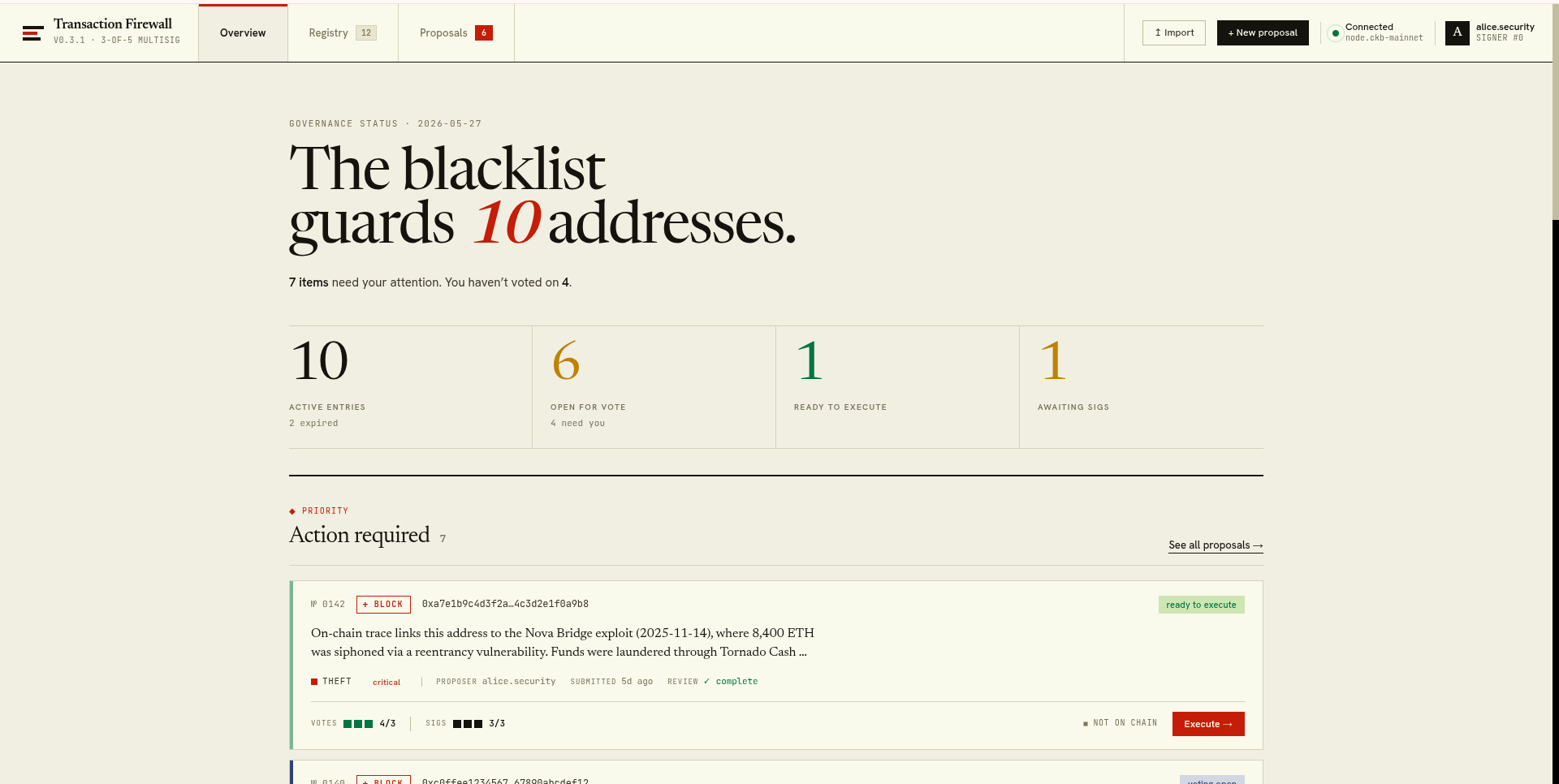
ckb-firewall guiOpens the governance dashboard at http://ckb-firewall.localhost (port 80) or falls back to http://ckb-firewall.localhost:7979 if port 80 is unavailable.
Custom port
Section titled “Custom port”ckb-firewall gui --port 8080Without auto-opening a browser
Section titled “Without auto-opening a browser”ckb-firewall gui --no-openGrant low-port access (Linux)
Section titled “Grant low-port access (Linux)”To get the portless URL without sudo:
sudo setcap cap_net_bind_service+eip $(which node)What the GUI shows
Section titled “What the GUI shows”- Live registry cell entries with status and expiry
- Treasury pool usage and donation address
- Proposal list with status and vote counts
- Proposal creation, anchoring, voting, and execution forms
Press Ctrl+C to stop the server.